A catalogue with a memory
Past orders live where workshops order. The invoice, a reorder and a return sit right there, none of them a call to your desk.
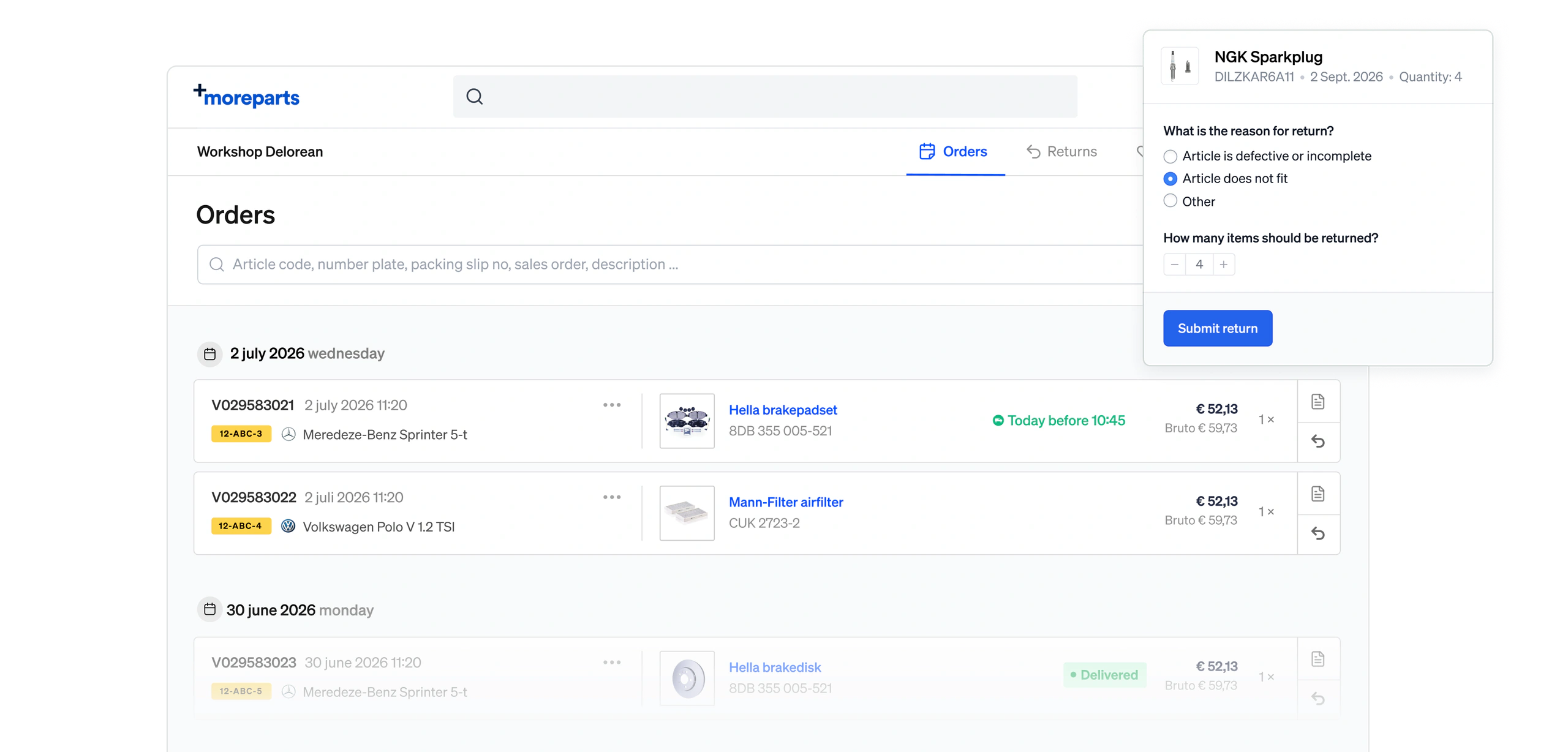
One page for past orders
One page holds every past order. An article code, a number plate, a packing slip number or a word from the description finds it.
Phone orders included
Every order a workshop placed, not only the ones through Brightmotive. A part ordered by phone sits in the same list.
Invoice attached
Invoice and packing slip sit on the order as PDFs. A workshop downloads its own copy instead of asking your desk for one.
Reorder with a click
Every line in the history is the part itself. Click it and it goes straight in the cart, with nothing to look up again.
Where the workshop is already looking
Past orders surface on the car and the part a workshop is looking at, so the filter that fit before is easy pick again.
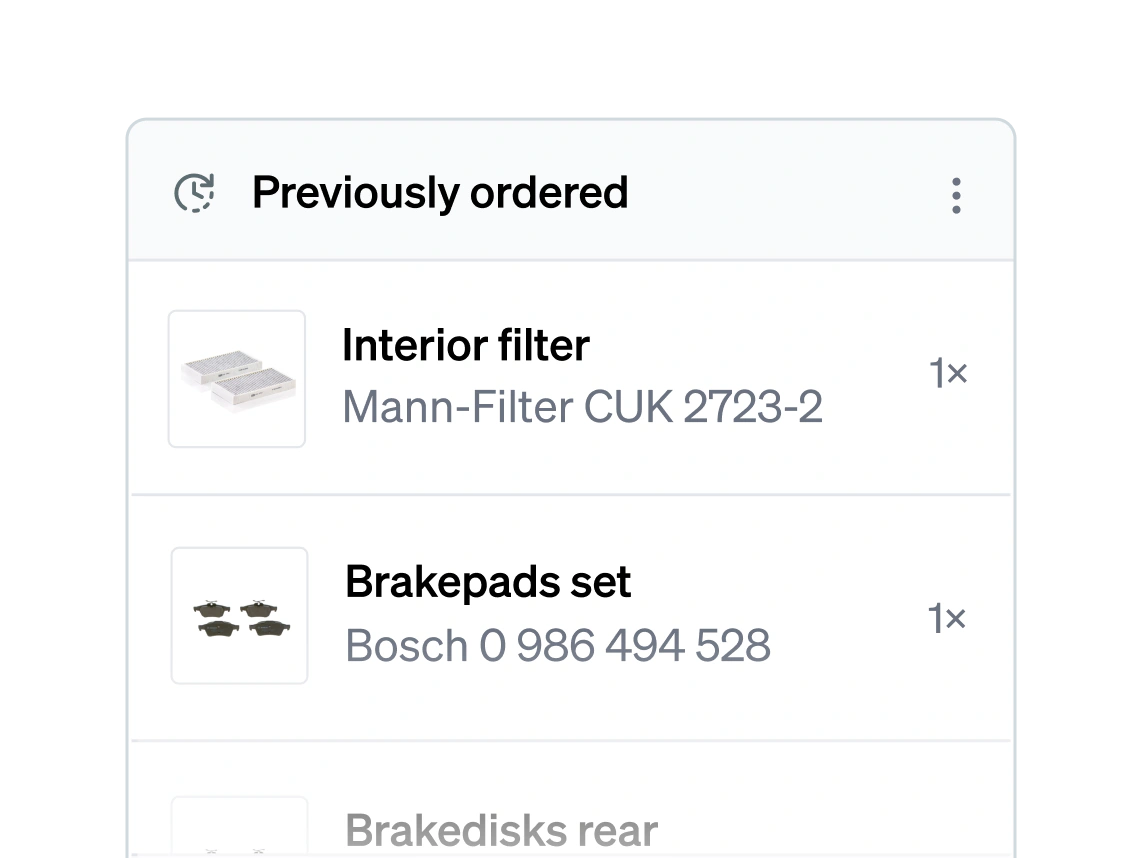
On the car's page
Open a car by number plate or VIN and what this workshop ordered for it before is right there. Reorder a line or register a return without leaving the car.
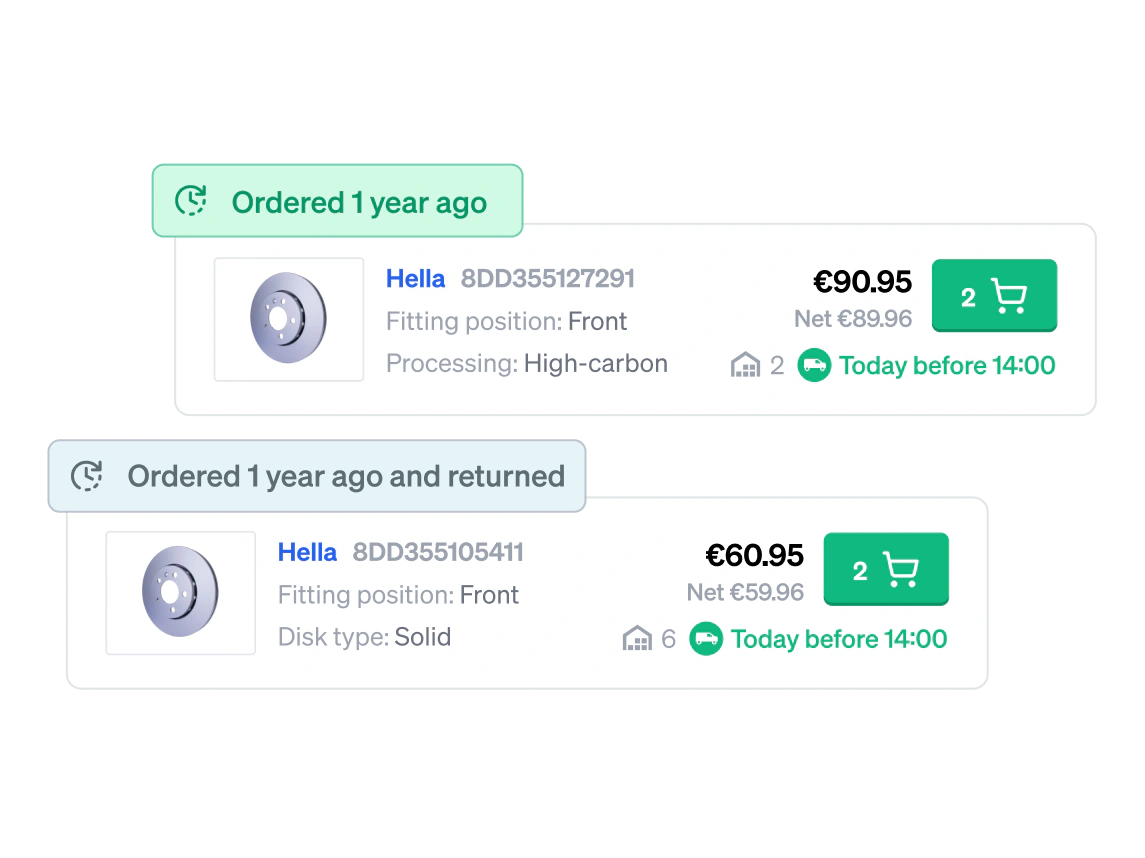
Marked in the parts list
Browsing parts for that car, a label marks every article they ordered for it before and says how long ago. A part that came back carries a different mark from one that stayed on the car.
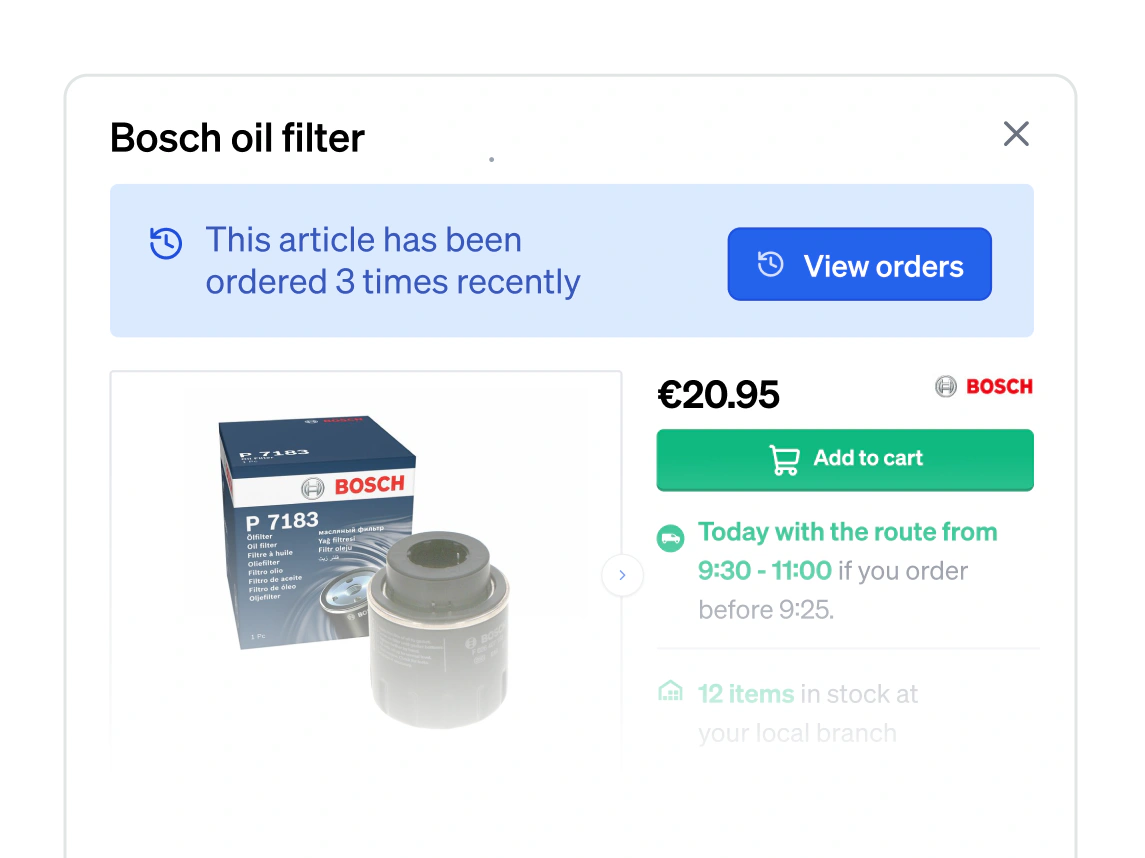
Search it or scan it
Search an article or scan its barcode and its page says how often it was ordered before, each order dated and naming the car it went on. A part with a track record is easy to spot.
Returns without the phone call
A workshop submits a return from the order itself, your team accepts it and the driver picks it up on the normal round.
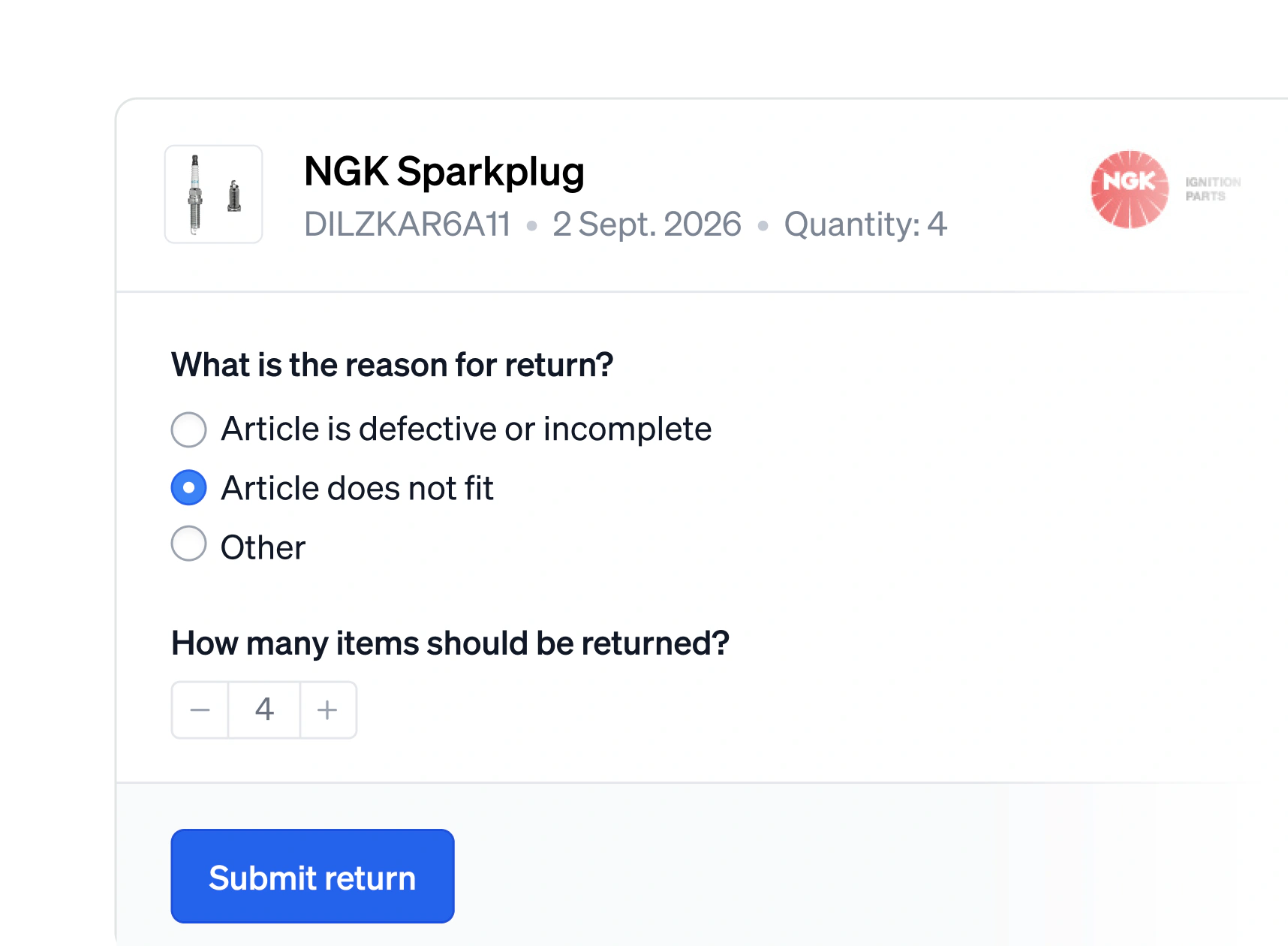
Submitted online
The workshop opens its order, picks the line, gives a reason and a quantity, and submits the return without leaving the page.
Booked by itself
Your team accepts or denies it from one list per branch. Accepting books the stock and the credit straight into your ERP.
A list for the driver
The open returns of a branch print as one PDF, a page per workshop, so the driver knows what to pick up on the normal round.
Non-returnable parts
Mark a part, or every part on a given route, as non-returnable. Whoever tries to send one back is told so straight away.
Give your workshops a catalogue they trust
They find the right part on the first try and see when it actually arrives. Fewer phone calls for your counter team.